Skip to content
Custom Software Solutions

For lawn care, landscaping and snow removal

A website that brings in jobs, and a back office that runs the crews.

Visitors ask for an estimate on your website; you schedule the work, send each crew its route for the day and keep track of what is owed. One system, set up for your business by the person who built it.

  • Estimate requests land in one inbox
  • Weekly service plans create the visits for you
  • Crew routes for the day, one tap from the map

Sound familiar?

Great work in the field, and a mess of texts and notebooks at the desk.

  • Estimate requests lost in texts and calls

    A neighbour asks for a quote on a missed call; two weeks later nobody knows who it was.

  • Weekly customers rebuilt by hand every season

    Every mowing route is retyped from last year’s notes, and a skipped week is only noticed when the customer calls.

  • A full crew on Tuesday and an empty one on Wednesday

    Without a view of each crew’s day it is easy to overbook one team and under-use another.

  • Storm days that turn into a phone marathon

    When it snows, every snow customer has to be called, scheduled and sent out in an order that makes sense.

  • Not sure who has paid

    Cash in a pocket, a check in the truck, a deposit someone mentioned: the real balance lives in your head.

What it does

The jobs of a field-service office, in one place.

Each part is already built and working in the example business.

Website

A site that asks for the estimate

Your services, projects and before-and-after photos, with one estimate form that asks for the property address so a quote can start straight away.

  • Sections for services, projects, hardscaping and snow removal
  • Estimate requests arrive in your inquiries list
  • Look and wording edited in one content file
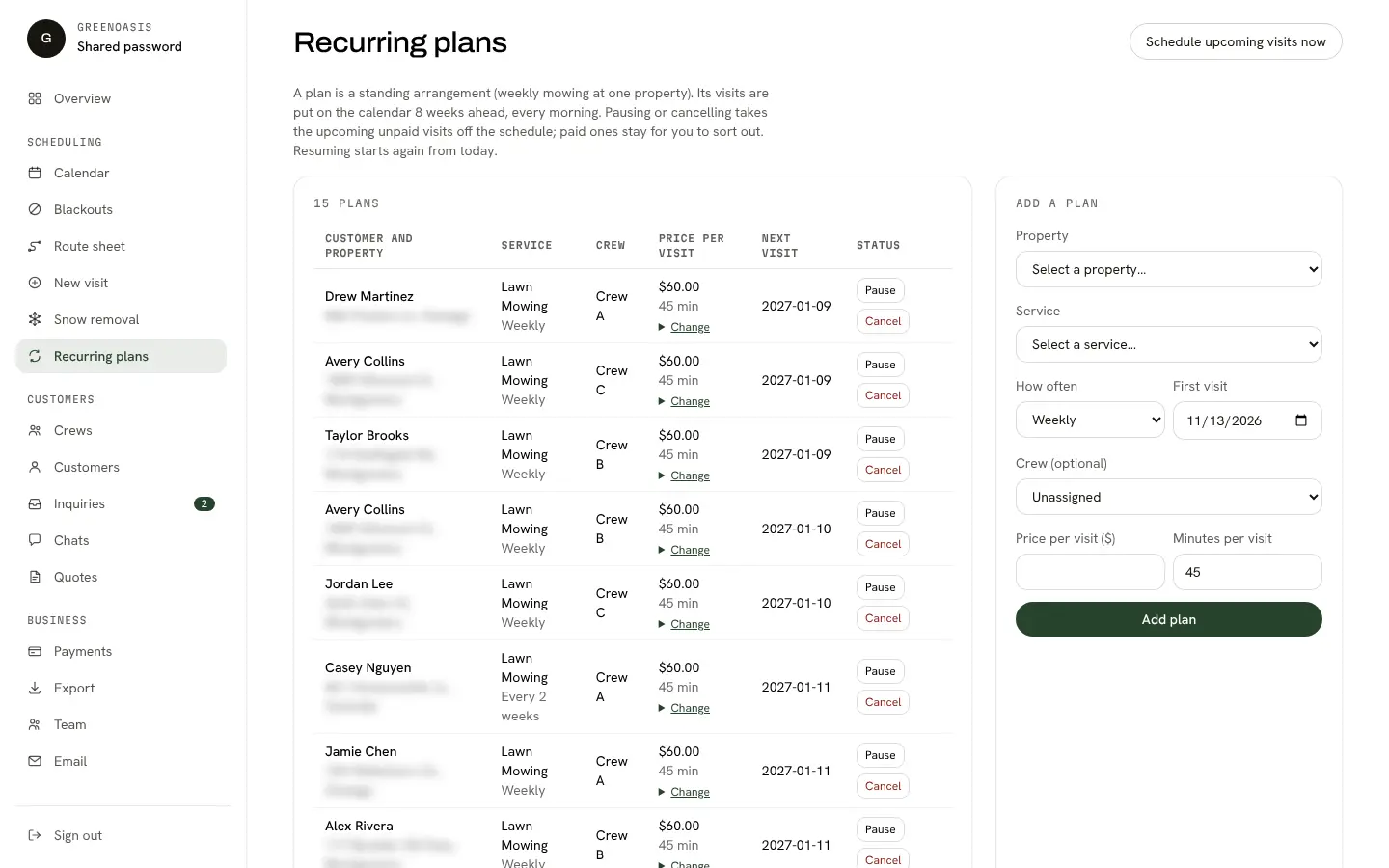
Recurring plans

Standing plans that schedule themselves

Set a plan once, such as weekly mowing at a property. A daily job adds the coming weeks’ visits, skips holidays and closure days, and never creates the same visit twice.

  • Pause and resume a plan; future unpaid visits come off the schedule
  • Block a day for everyone or for one crew
  • Prepaid visit packs are used up first
The recurring plans page listing standing service plans for properties, with their cadence and price.
Recurring plans that schedule the visits for you.
Crews and calendar

Crews with a daily limit, and a calendar that shows it

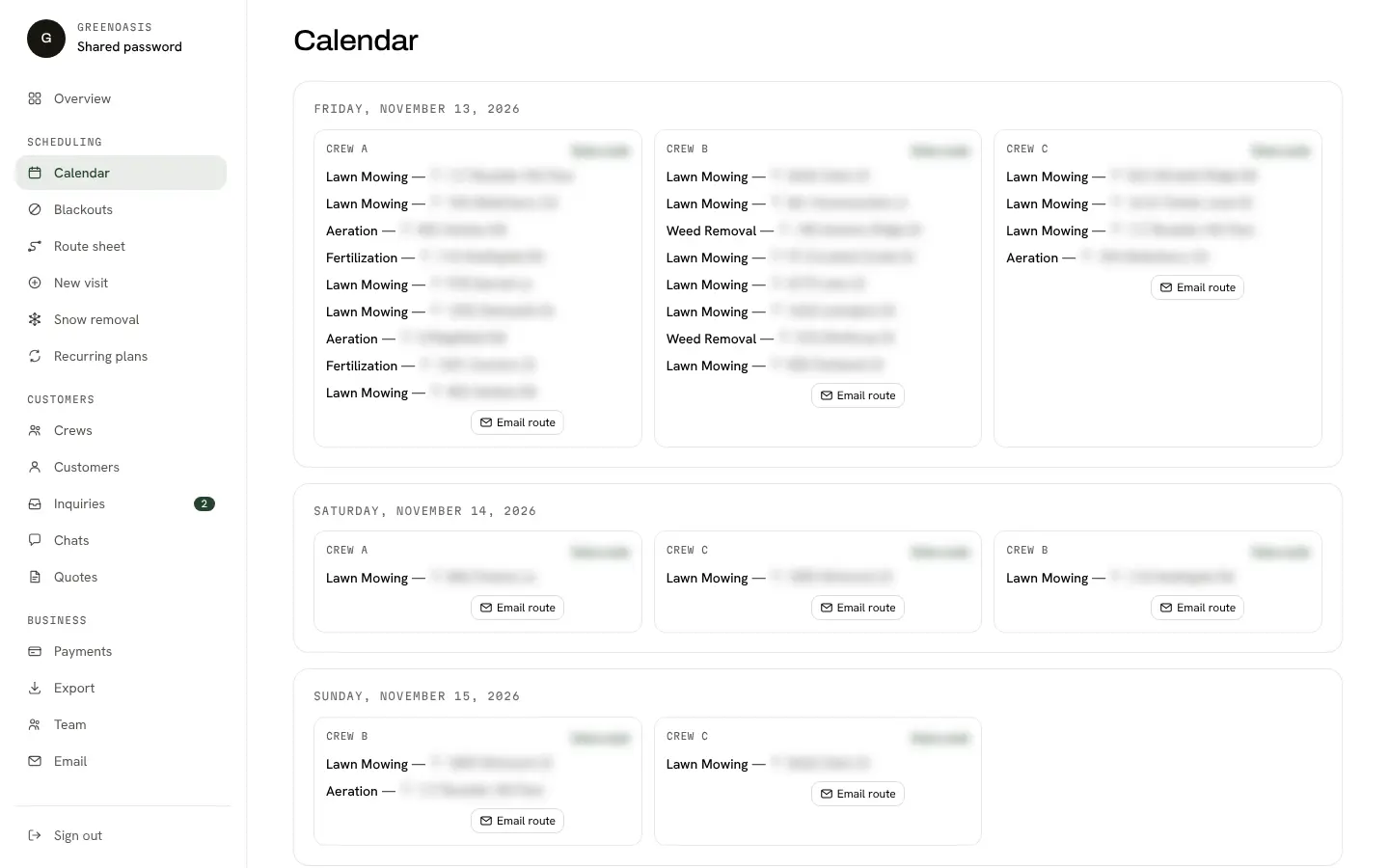
Each crew has a daily capacity, and the system refuses to book past it. See the next two weeks by day and crew, and move a visit when the weather turns.

  • A visit with no crew is flagged on the calendar
  • Each crew can subscribe to its own calendar feed on a phone
  • Email a crew its route for the day
The lawn care calendar listing each crew’s visits for the next days, with an Open route link and an Email route button per crew.
The calendar: every crew’s day, side by side.
Routes

A route sheet you can reorder and open in Maps

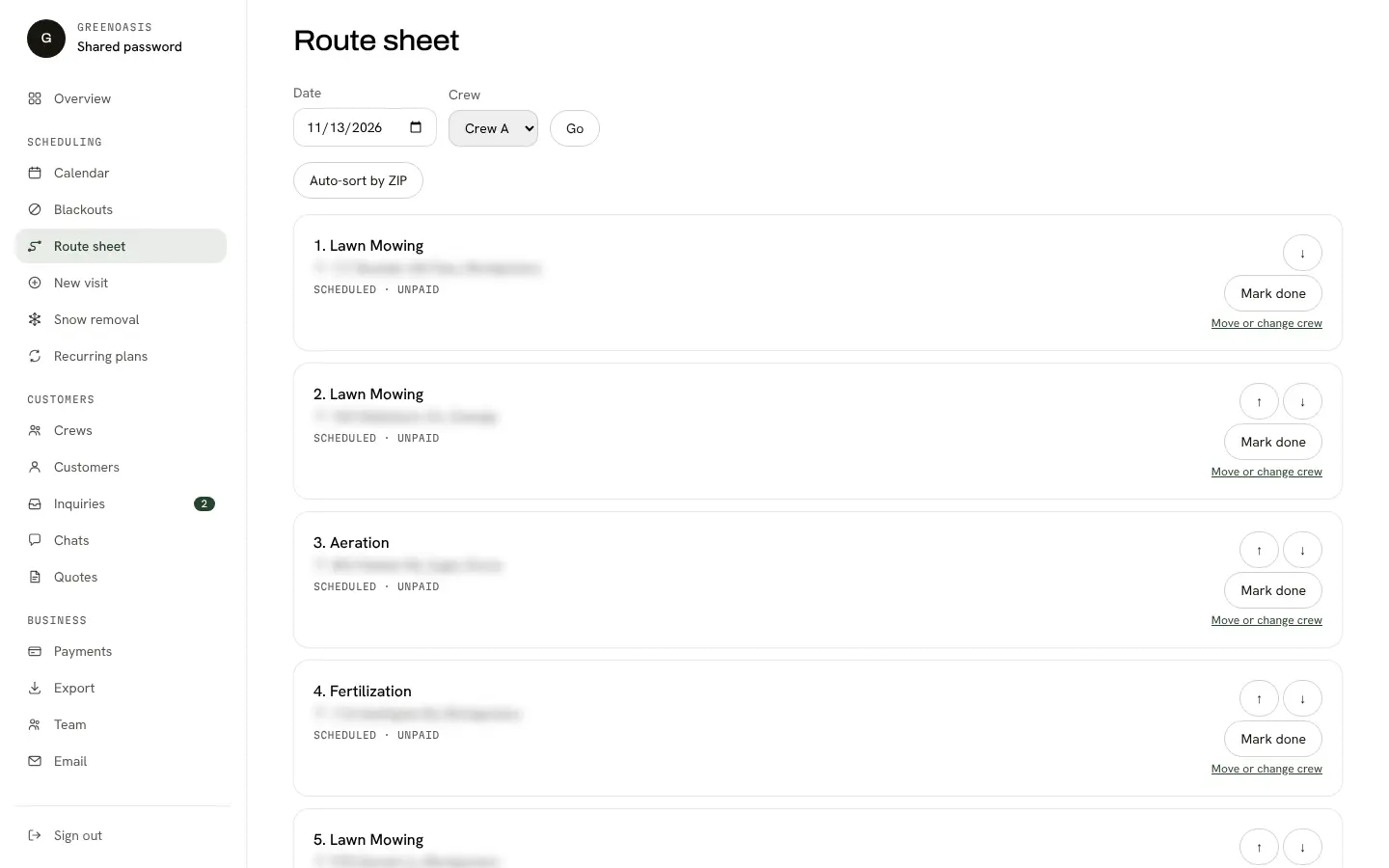
One crew, one day, in the order you want. Sort by ZIP as a starting point, then adjust by hand. Every address opens in whatever maps app the phone has.

  • Mark a visit done from the route sheet
  • Open the whole day as one multi-stop route
  • Dispatch stays in your hands: it is not automatic routing
The route sheet for one crew and one day: numbered stops with Mark done, up and down arrows and a Move or change crew link.
A crew’s route for the day, in order, with Mark done and an Auto-sort by ZIP button.
Snow removal

Dispatch a storm in one step

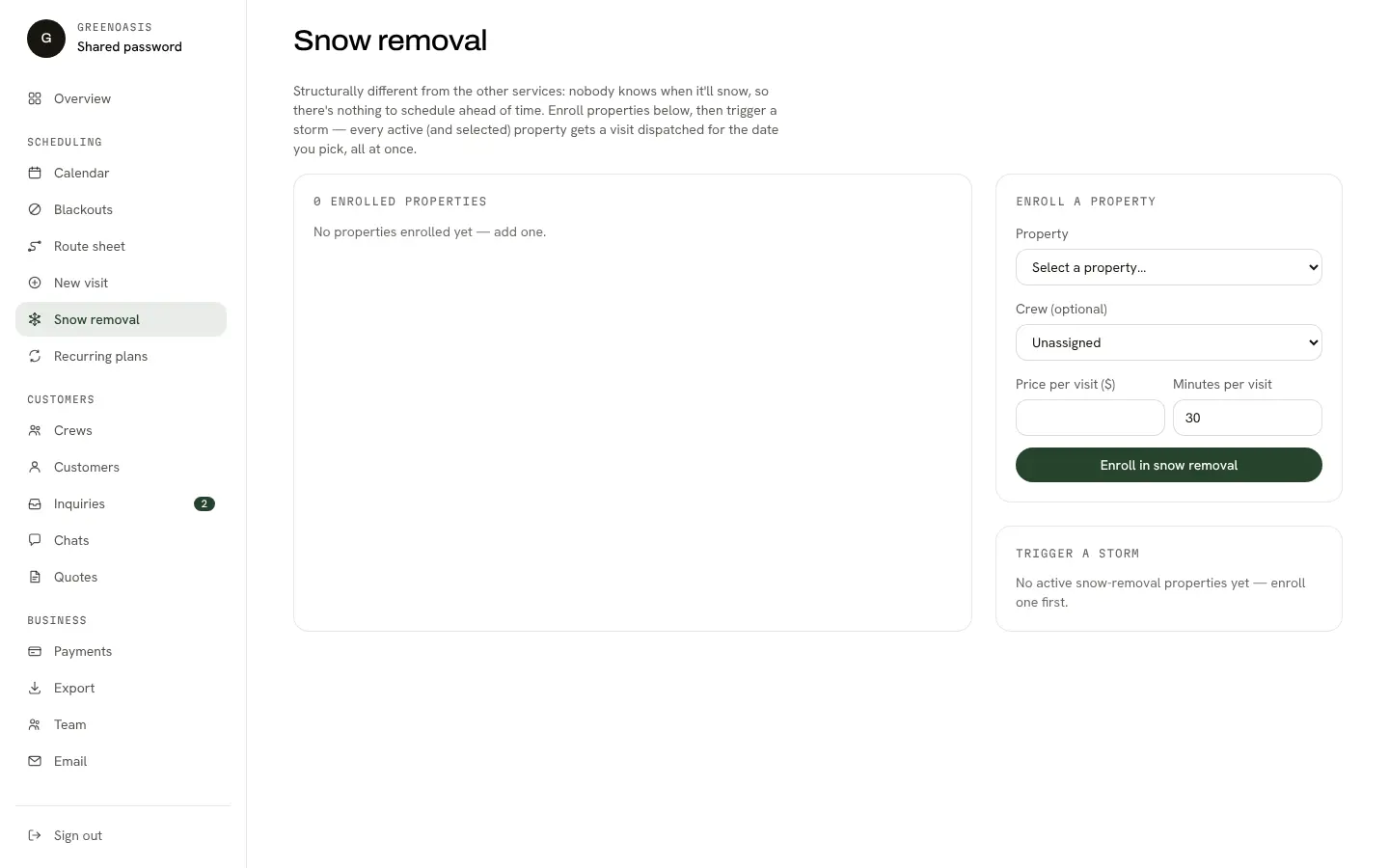
Enrol the properties you plow, then when it snows choose the date and send them all out at once. You get a summary of what was scheduled and what was skipped, and why.

  • A property is never dispatched twice for the same storm
  • Full crews and blocked days are reported, not silently dropped
  • You decide when it is a storm day; nothing triggers by itself
The snow removal page listing enrolled properties and a form to dispatch a storm for a chosen date.
Snow removal: enrolled properties and one-step storm dispatch.
Quotes and balances

Quote a job, then see who owes what

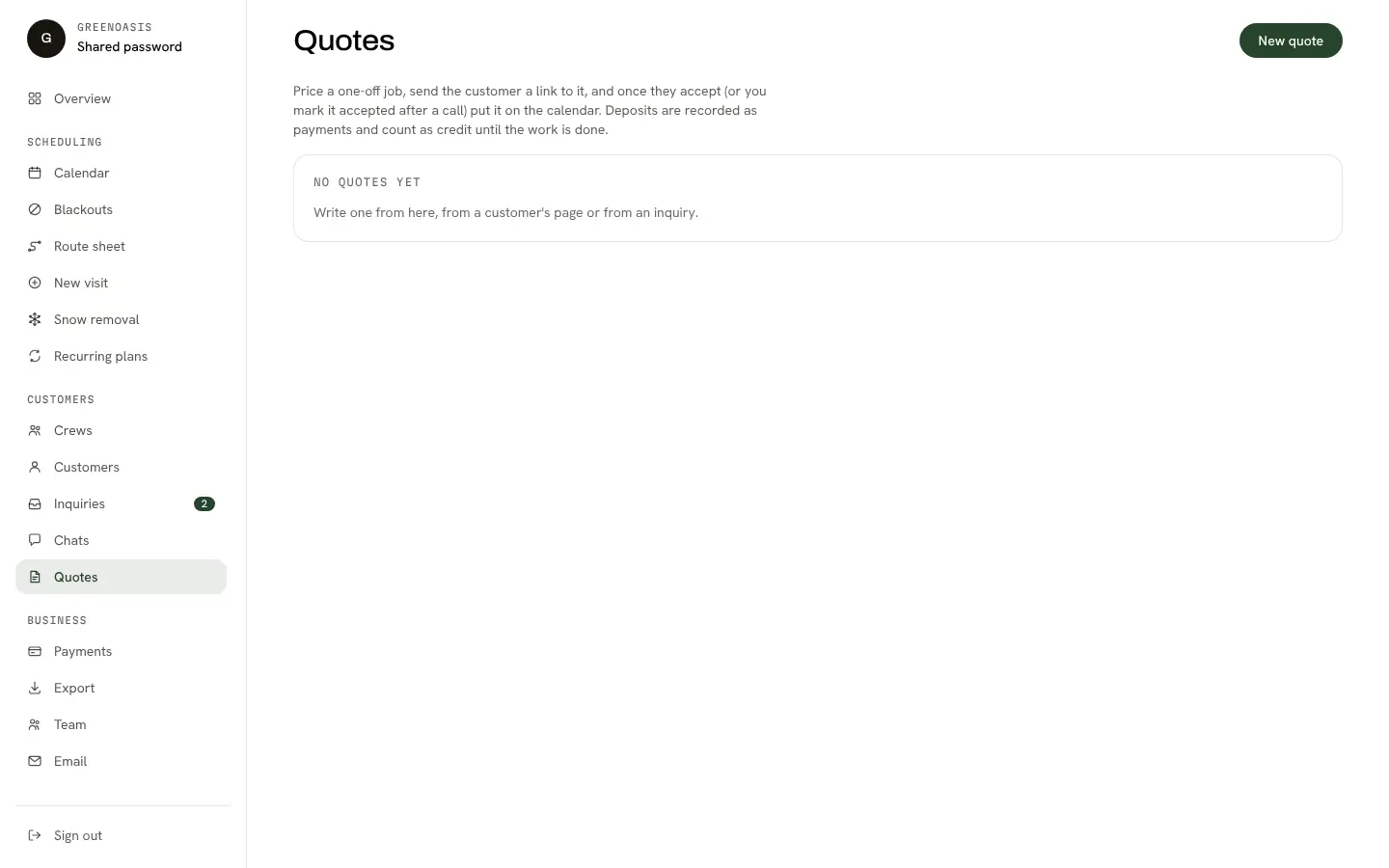
Price a one-off job in lines with an optional deposit. The customer opens a private link to accept it, and accepted work goes onto the calendar. Payments you receive are recorded and balances kept per customer.

  • Customer link works without an account; you can also mark it accepted after a call
  • Cash, check and other payments are recorded by hand
  • Customer, visit and payment lists export to CSV
The quotes page listing quotes for one-off jobs and their status.
Quotes for one-off jobs, with a private link the customer can accept.

Built for

Who lawn care is for.

  • Lawn care and mowing

    Weekly and bi-weekly plans, crew capacity and routes in the order you drive them.

  • Landscaping and hardscaping

    Quotes written in lines with a deposit, then scheduled across as many days as the job takes.

  • Snow removal

    A standing list of properties and a one-step storm dispatch when it snows.

How it works

From first message to launch.

  1. 1

    Tell me how your crews work

    We talk through the services you offer, how many crews you run, where you work and how you handle weekly customers and one-off jobs today.

  2. 2

    I set up the site and the back office

    I put in your services, wording and photos, your crews and their daily limits, and your standing plans.

  3. 3

    We try it on a real week

    You get a private preview with your own customers loaded. We collect changes in one list and I make them.

  4. 4

    Launch and run your first week from it

    The site goes live on your domain and I walk you through the calendar, the route sheet and the inquiries list.

Live demo

See it working: GreenOasis (example business).

A working example with made-up customers, crews and visits. It is a demonstration, not a paying client.

Open the example site (opens in a new tab)

The demo is a working example with made-up customers and crews. Your setup is built with your own services, crews and customers.

Pricing and what is included

Pricing is set after a short call

Because every business has a different number of crews, services and customers, I quote setup and the monthly fee after we talk, in writing, before any work begins.

  • Custom development

    Features beyond what is already built are quoted before work begins.

  • Domain and email

    Billed by their providers; I can set them up in your name.

The monthly fee covers hosting, maintenance, updates and support. Exact scope is in the written quote.

FAQ

Questions owners ask before they start.

Something missing? Ask in the form below and I will answer plainly.

Is this a template or a custom website?

It is a working starting point that I customise. The site, the scheduling and the back office already exist; I put in your services, wording, photos, crews and customers.

Does it plan the routes for me?

No. You choose the order of each crew’s day. A button sorts a day by ZIP code as a starting point, and you can reorder it by hand. There is no travel-time optimisation.

Can my crews use it from their phones?

Yes. The pages work on a phone, every address opens in the phone’s maps app, and each crew can follow its own calendar feed.

Can customers pay online?

Not at the moment. You record payments you receive (cash, check and so on) and the system keeps each balance. Online payments are a possible later addition and would be quoted separately.

What happens in winter?

Snow removal is built in as its own list of properties. When a storm comes you choose the date and dispatch them in one step; nothing is triggered automatically by the weather.

Who owns my data?

Your customers, visits and payments are yours, and you can export them as CSV at any time. The written agreement spells out what happens if you leave.

Want to see how it would run your week?

Tell me how many crews you run and what you mow, plant, build or plow. I will tell you what fits as it is and what would need custom work.

Ask about lawn care software

Get in touch

Tell me about your business.

A few quick details and I will come back with honest advice on what fits, a realistic timeline and a quote. No obligation, and no sales script.

  • Free consultation, no commitment
  • Straight answers about what needs custom work
  • Your details are used only to reply to you